
BUNDLE DISCOUNTS

Total price:
Total price: $59.96 $41.96
You are saving: $18.00
This item: Sim Racing Pedals – Premium CAD Design for DIY Build
Original price was: $29.99.Current price is: $20.99.
Original price was: $9.99.Current price is: $6.99.
Glozin
Professional CAD Files
Glozin
24/7 Free Support & Help Section
Glozin
Step-by-Step Tutorials
Glozin
Save Money
Glozin
Beginner-friendly
Glozin
Instant download

Description

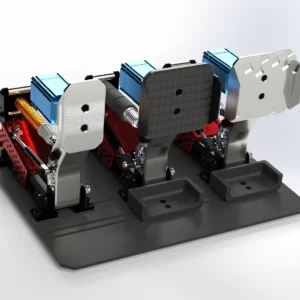
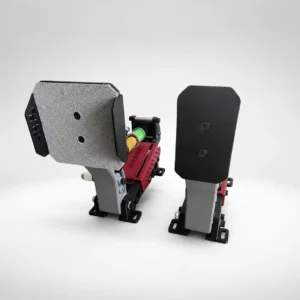
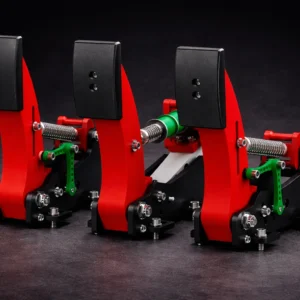
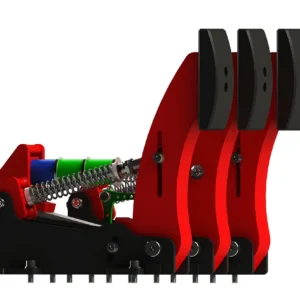
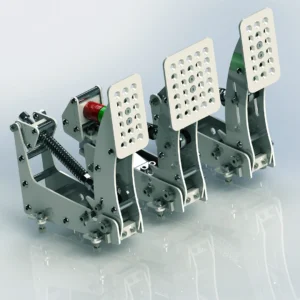
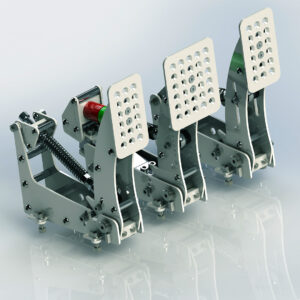
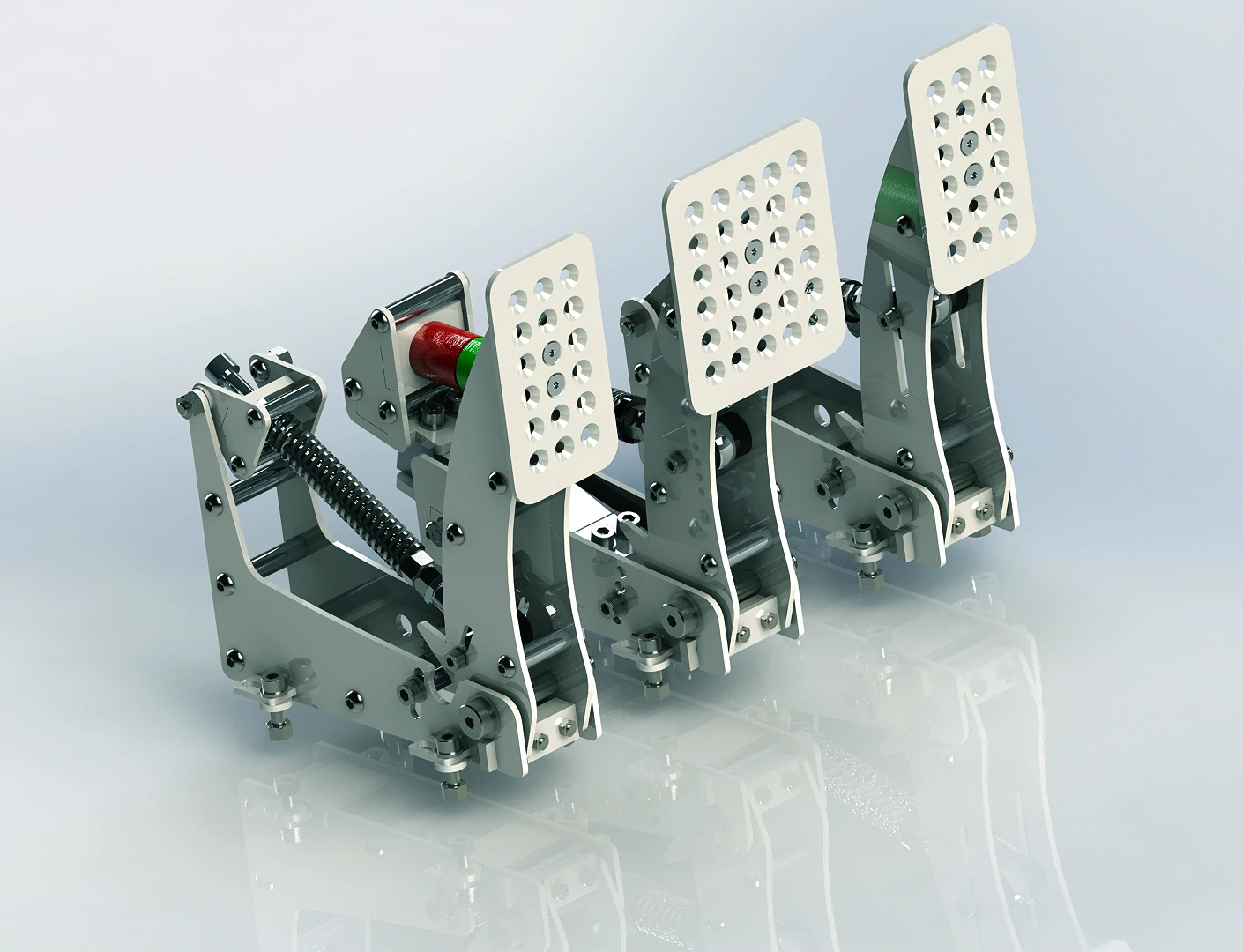
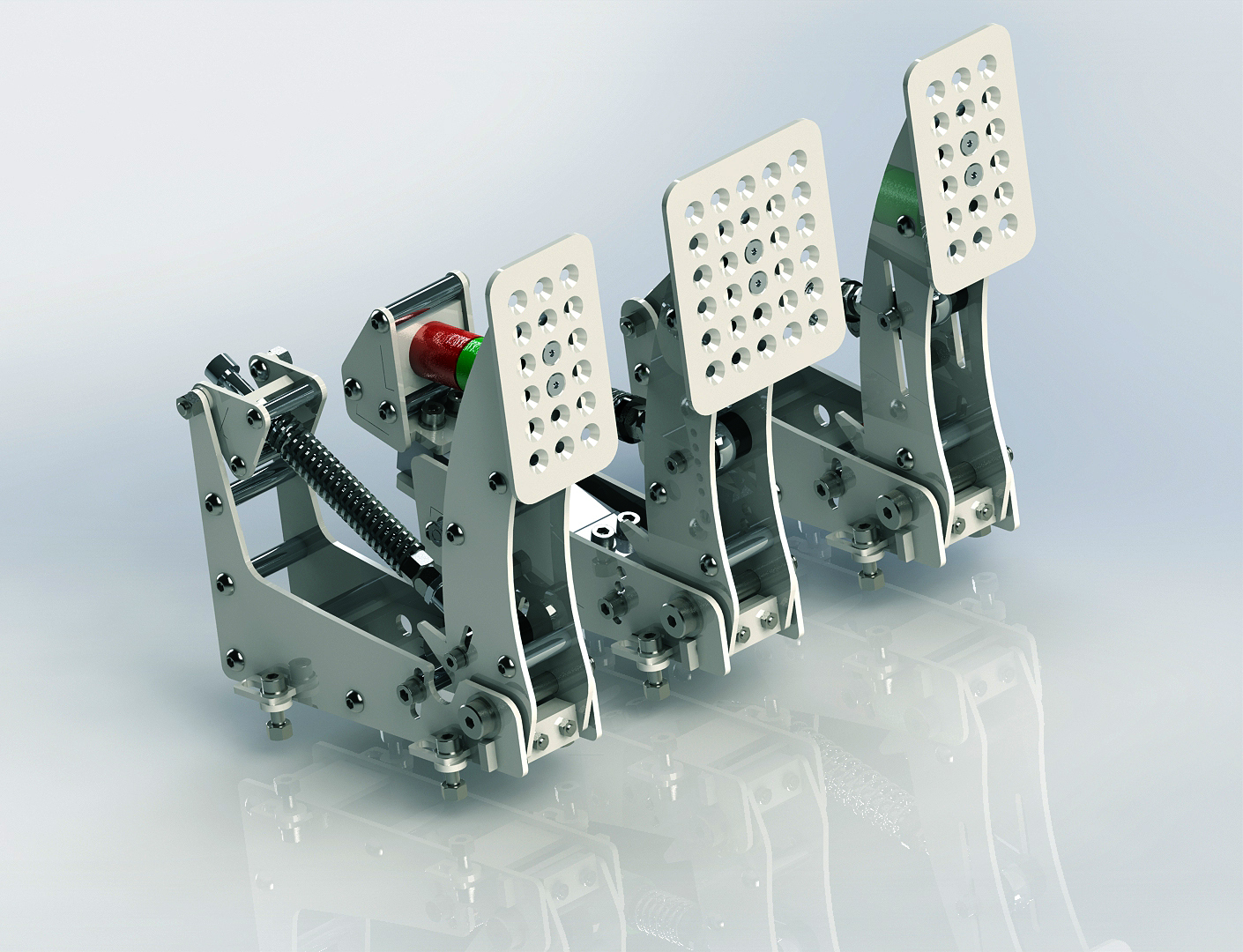
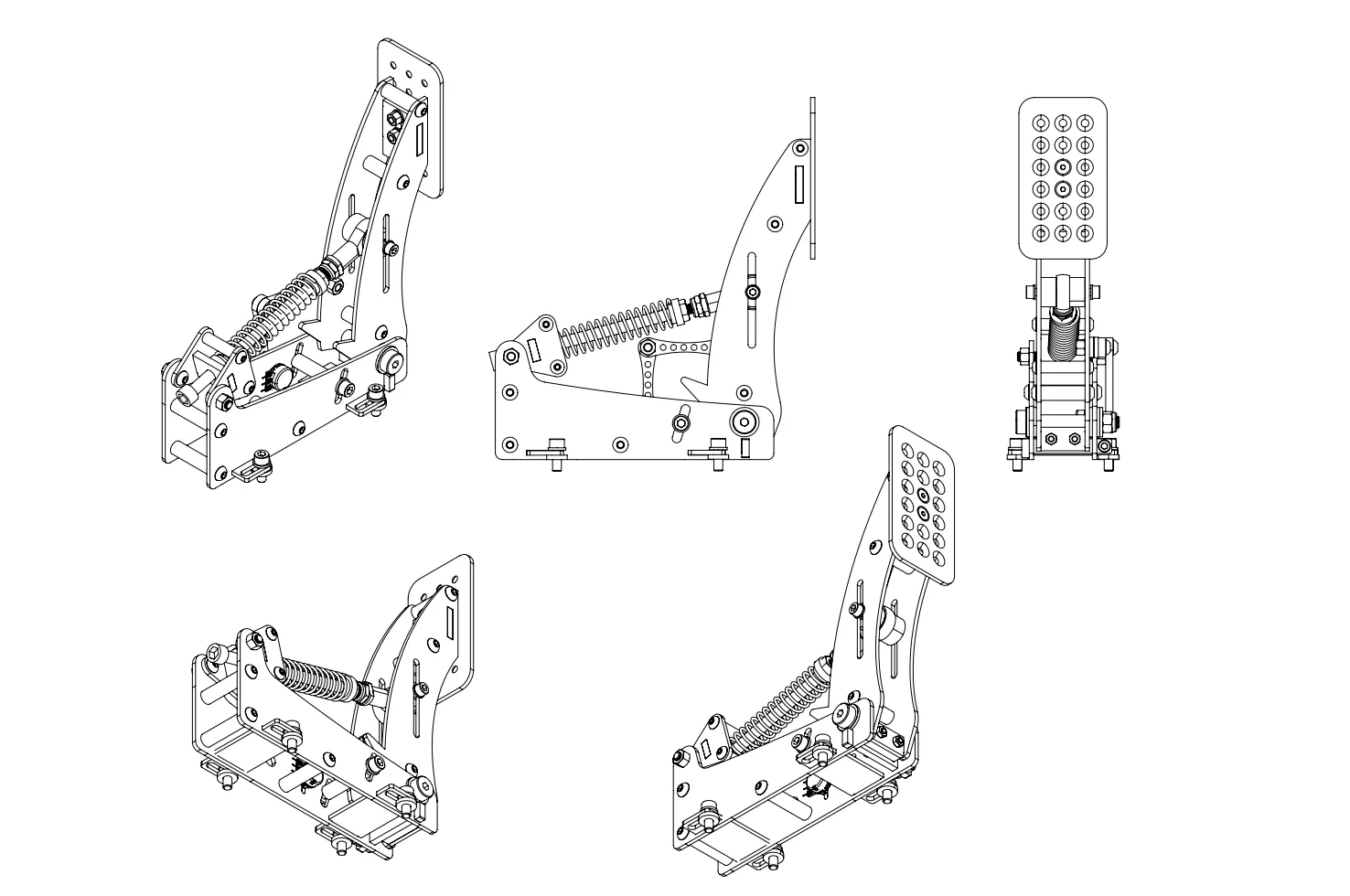
Sim Racing Pedals – Premium CAD Design for DIY Build

Build With ZERO Stress

This DIY pedal kit is designed for makers of all levels. No advanced skills, no specialized tools — just straightforward assembly backed by clear, beginner-friendly instructions. If you can follow a guide, you can build these pedals.

Engineered for Realism

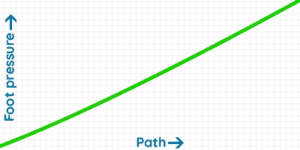
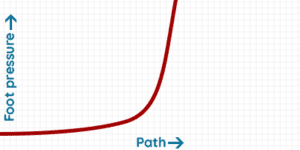
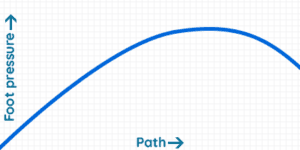
Experience pedal feel that mirrors real motorsport mechanics: linear throttle for smooth, consistent acceleration. Two-stage load-cell brake with soft and firm phases. Degressive clutch that mimics the bite point of a real car.

Every pedal delivers precision you can feel in every corner.

Thoughtful, Professional Design

The aesthetics are inspired directly by automotive engineering. Whether you choose the full-metal fabrication or the 3D-printed edition, the final result looks clean, modern, and built for performance.

Fully Adjustable for Your Driving Style

These load-cell pedals were created for maximum flexibility. Fine-tune the: pedal angle, hardness and resistance, end-stop travel, footrest and pedal positioning.

Dial in your perfect setup, whether you’re drifting, racing GT, or tackling rally stages.

A Budget-Friendly Performance Upgrade

Build high-quality pedals at a fraction of commercial pricing. Cost depends on your chosen materials and tools — 3D printing, CNC, laser cutting — but every option keeps the project accessible and affordable.

Reliable Support Anytime You Need It

If you run into questions or challenges, free assistance is always available in the Help & Questions section. We’re here to make sure every builder reaches the finish line.

DIY Sim Racing Pedals SET

THROTTLE PEDAL

The throttle pedal is linear, you can adjust the hardness, angle, stop and the footrest position. Concerning electronics, it’s a potentiometer fixed by two levers with a very solid structure.
Throttle Sim Pedal

AR is not supported on this device

BRAKE PEDAL

Load cell pedals provide precise and realistic braking force, improving your control and immersion in the game. The brake is made up of one spring and many elastomers which enables the two stages of braking: soft then hard

The feeling is adjusted by changing the combination of elastomers and/or by tightening the spring. The technology is similar to the Handbrake Load cell. The pedal is designed to take more than 100kg of pressure! Concerning electronics, it will be a 120kg pressure sensor.
Brake Sim Pedal


AR is not supported on this device

CLUTCH PEDAL

The clutch is almost similar to the throttle, but has a degressive mechanism allowing to simulate the clutch of a real car (only the 3D Printed Edition is linear).
Clutch Sim Pedal

AR is not supported on this device
"In regards to the 3D printed version I will say I try to beat these up so hard, I smashed on them, I really figured they would break they just didn't in my testing."
simpit logo
Shaun Cole
The SimPit
"Considering this pedal set would only be about 300 bucks, I was shocked on track results."
simpit logo
Shaun Cole
The SimPit
  • You are going to buy a file (the CAD models of the Sim Racing Pedals), we don’t sell physical product
  • After your purchase, you will be able to download your file in your member area (Account > Downloads)
  • This product is protected by Licence. You are not authorized to sell or share it.

BUILDING GUIDE OF THE PEDALS

▶️ Building guide playlist of the Sim Racing Pedals.

▶️ Building guide of the 3D Printed Sim Racing Pedals


SIM RACING PEDALS Parts compatibility

You can use other parts to build this load cell pedals (apart from those listed in the required parts section), but you will need to check that they are compatible.

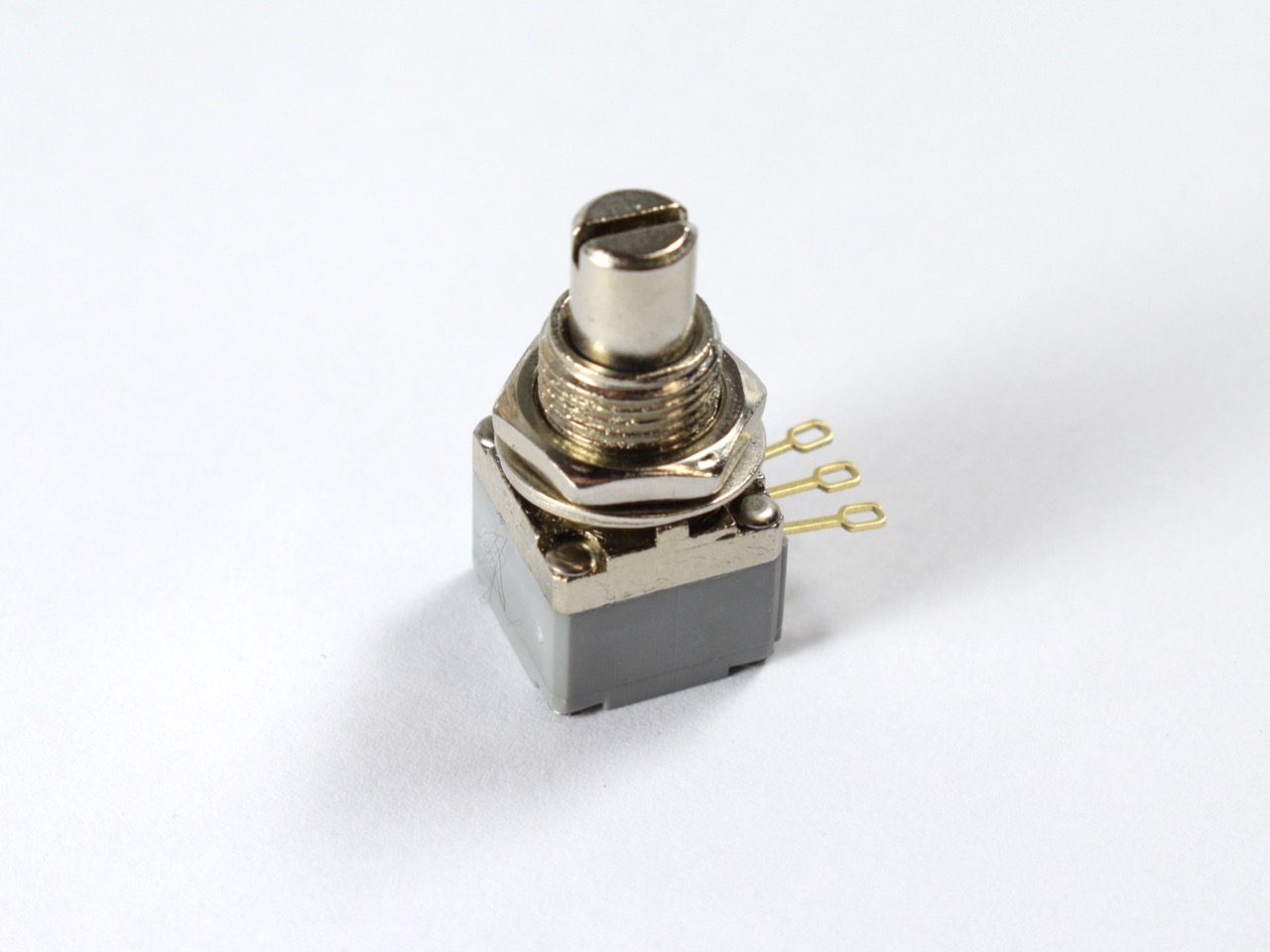
POTENTIOMETERS

  • Ohm: 10k is recommended, but 100k can also work (it depends at the USB Board).
  • Thread: between Ø6mm and Ø9mm
  • Shaft diameter: not to exceed Ø7mm

LOADCELL

Weight: not below 100kg.

Loadcell dimensions:

Dimension of the Load Cell

ELASTOMERS

  • ØInside diameter: min. 8mm, max. 10mm
  • ØOutside diameter: not to exceed 35mm.

SPRINGS

  • ØInside diameter: not below 8.5mm
  • ØOutside diameter: not to exceed 28mm

If you use springs with different dimensions, we advise you to create the spring centralizer part. You will need to download Freecad (it’s a free software) and read the tutorial that is provided. Everything is in the Alternative spring centralizer folder.

ALTERNATIVE FOOTREST:

Material of the DIY racing sim pedals

LASER CUTTING

As for the Sim racing sequential shifter, we recommend stainless steel. For the few parts that need to be machined, we recommend aluminum because it is softer. The parts that require machining are the following:

  • Countersinks holes for the Footrests
  • Two holes to drill and tap for the potentiometer levers

All these machining operations can be avoided if you use 3D printing alternatives.

The thickness of the plates is only 3mm and 5mm, and it is indicated in the name of the folders.

3D PRINTED PEDALS

We recommend PLA or ABS, the filling will vary according to the pieces, and it will be indicated in the name of the files. Here are recommendations for printing 3D solid parts.

HAND CUTTING AND CNC MACHINING

I recommend aluminum because it is a soft metal that is easy to work with.

How to get the required materials

LASER CUTTING

I advise you to use the 3mm and 5mm “All-in-One” DXF files and request a quote from laser cutting companies near your home. All parts are flat, there are none to bend. So you can compare prices and choose the most profitable. On average, the asking price for cutting a stainless steel pedal is between €100 and €150 including VAT and shipping. You can save money if you make a combined order. For France and Europe, I recommend the company ALPM. They provide a very good quality cut for a reasonable price.

3D PRINTED PEDALS

You can buy a 3d printer or find a 3d printing service like treatstock. Don’t forget the infill percentage if you want a strong product (especially for the brake pedal). The longest part that need to be printed is 220mm.

Looking for high-quality 3D printing services? With Treatstock, you can easily get instant quotes from professional manufacturers worldwide. Upload your design today and get your free, no-obligation quote in minutes! 👉 Get Your Quote Now

HAND CUTTING

You need only sheets of papers, printer and Aluminium plates!

CNC MACHINING

I recommend CNC Machining only if you own a CNC Rooter, otherwise it is not economically profitable enough compared to laser cutting.

SCREWS

Bolt depot, Motedis and FixnVis.

Tolerances

  • Laser cutting DXF files and CNC Machining files: 0.2mm
  • 3D Printing: 0.6mm
AR is not supported on this device

Springs and Elastomers

Throttle Spring

  • Quantity: 1
  • Length: 90mm, Diameter: 20mm

Throttle Spring alternative

  • Quantity: 1
  • Length: 20x10x90mm
  • Color: Yellow

Brake Spring 

  • Quantity: 1
  • Length 30mm, Diameter 20mm

Brake Spring alternative  

  • Quantity: 1
  • Length: 20x10x20mm
  • Color: Yellow

Clutch Spring 

  • Quantity: 1
  • Color: Brown
  • Length: 20x10x100mm

3D Printed Edition Clutch Spring 

  • Quantity: 1
  • Color: Yellow
  • Length: 20x10x90mm

Bushing/Elastomers

  • Quantity: 2 minimum
  • Option: 85A or/and 90A

Alternative Bushing/Elastomers

  • Quantity: 2 minimum
  • Option: 85A or/and 90A

Electronics SHOPPING LIST

P260 potentiometer

  • Quantity: 2


Potentiometer alternative 

  • Quantity: 2
  • Resistance: 10k Ohm
  • Note: you need M8 washer to fix this potentiometer

Brake Load Cell

  • Quantity: 1
  • Weight: 120kg

Brake Load Cell alternative #1  

  • Quantity: 1
  • Weight: 100kg

Brake Load Cell alternative #2 

    • Quantity: 1
    • Weight: 100kg

Brake Load Cell alternative #3 

    • Quantity: 1
    • Weight: 100kg

BU0836-LC USB Board

  • Quantity: 1


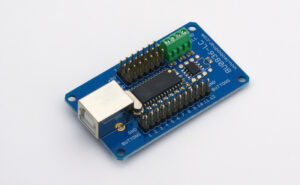
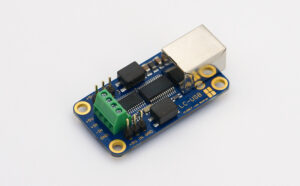
LC-USB Board (alternative #1)

  • Quantity: 1


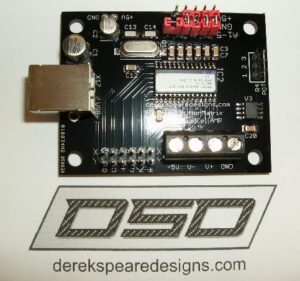
DSD 12 Bit USB Board (alternative #2)

  • Quantity: 1
  • Option: 12 Bit Controller with AMP

Arduino Leonardo USB Board (alternative #3)

  • Quantity: 1
  • Note: compatible only with HX711 Loadcell Amplifier

Arduino Pro Micro USB Board (alternative #4)

  • Quantity: 1
  • Option: Micro USB
  • Note: compatible only with HX711 Loadcell Amplifier
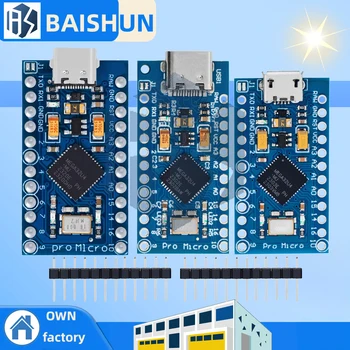
Shielded cable for Potentiometers 

  • Quantity: 1
  • Specification: 3 cores 5 meters

Aviation Circular Connector GX12

  • Quantity: 3
  • 3P for Throttle and Clutch
  • 4P for Brake

Tools SHOPPING LIST

Find what you need in the DIY Tools section.

Hardware Screws

SIM RACING DIY PEDALS Required Screws

Customer Reviews

Powered byCusRev
4.8
Based on 8 reviews
5 star
75
75%
4 star
25
25%
3 star
0%
2 star
0%
1 star
0%

Customer Images

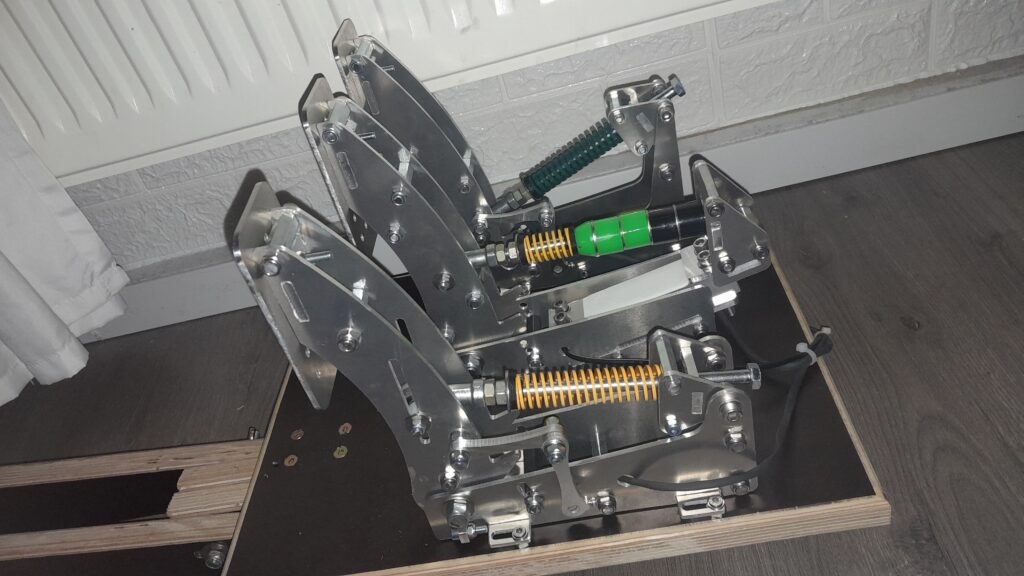
Image #1 from Jeremy Black
Image #2 from Jeremy Black
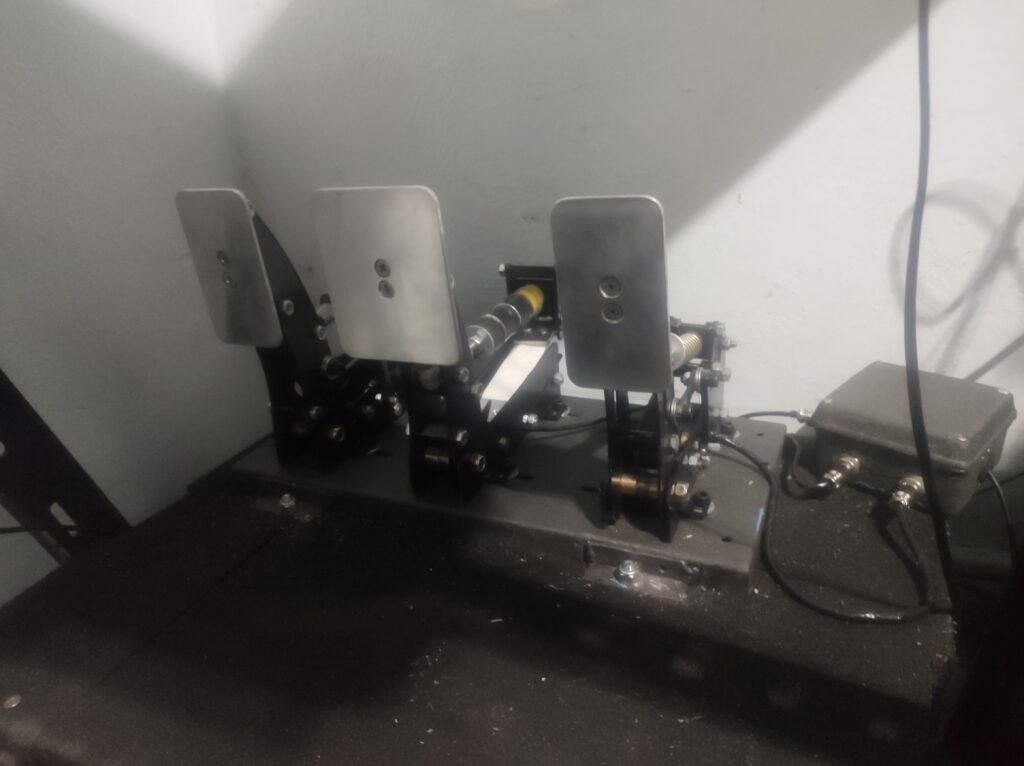
Image #1 from Steffen Röthling
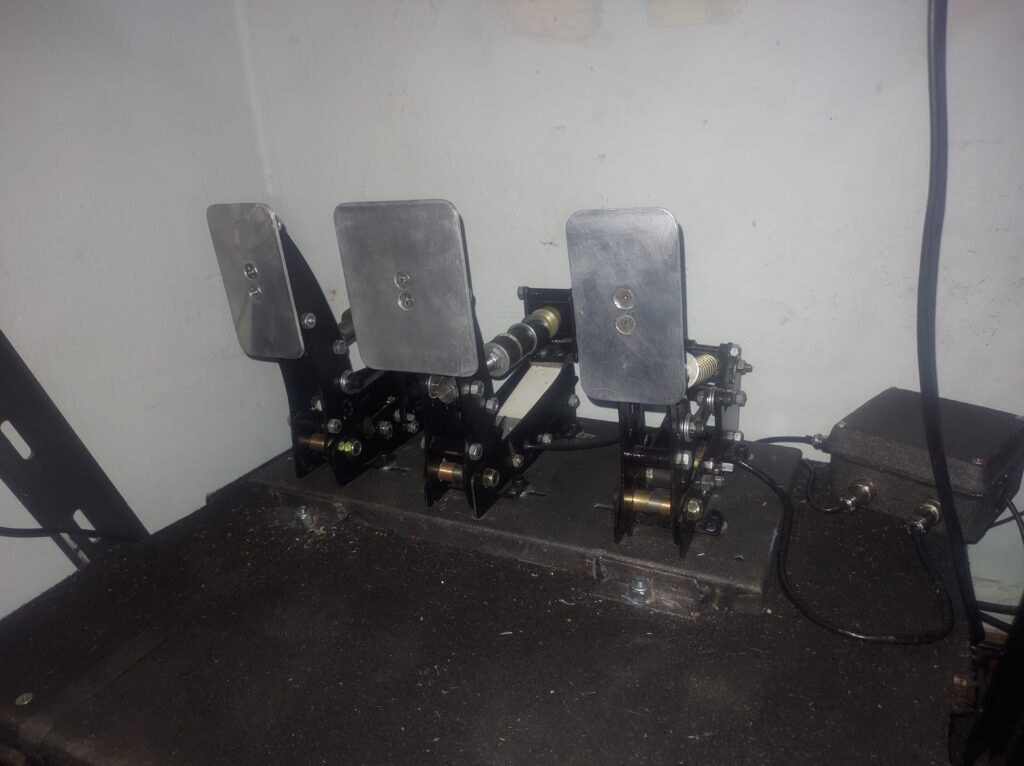
Image #1 from Julian Zelaya
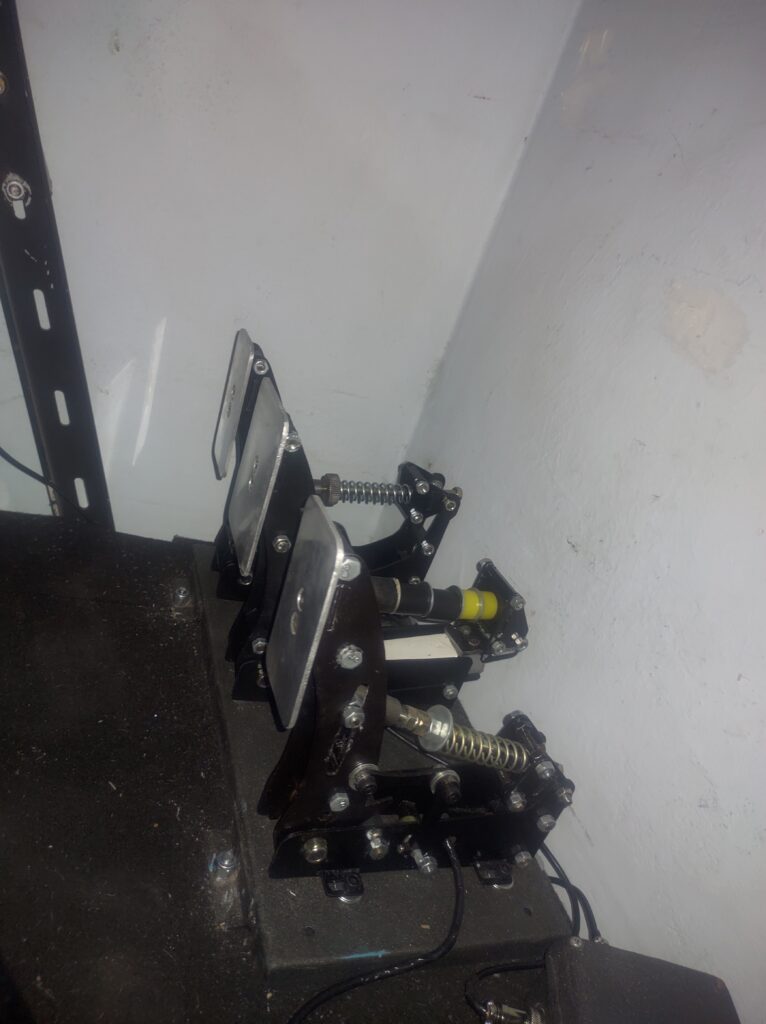
Image #2 from Julian Zelaya
Image #3 from Julian Zelaya
Image #1 from Jeremy Black

Jeremy Black

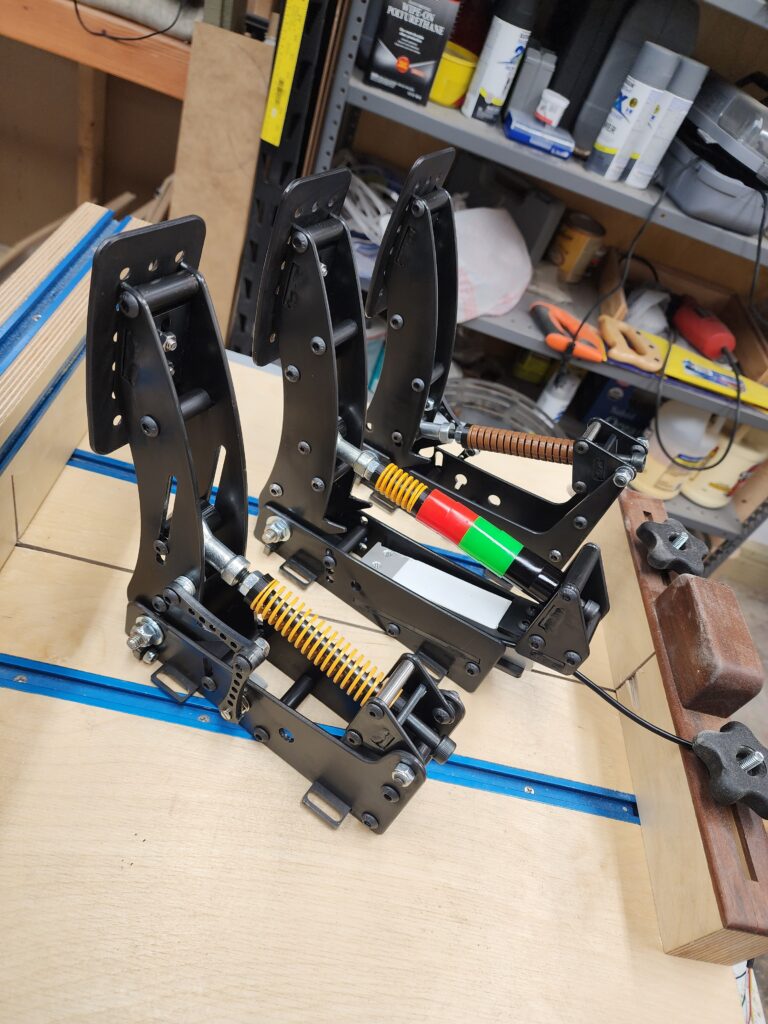
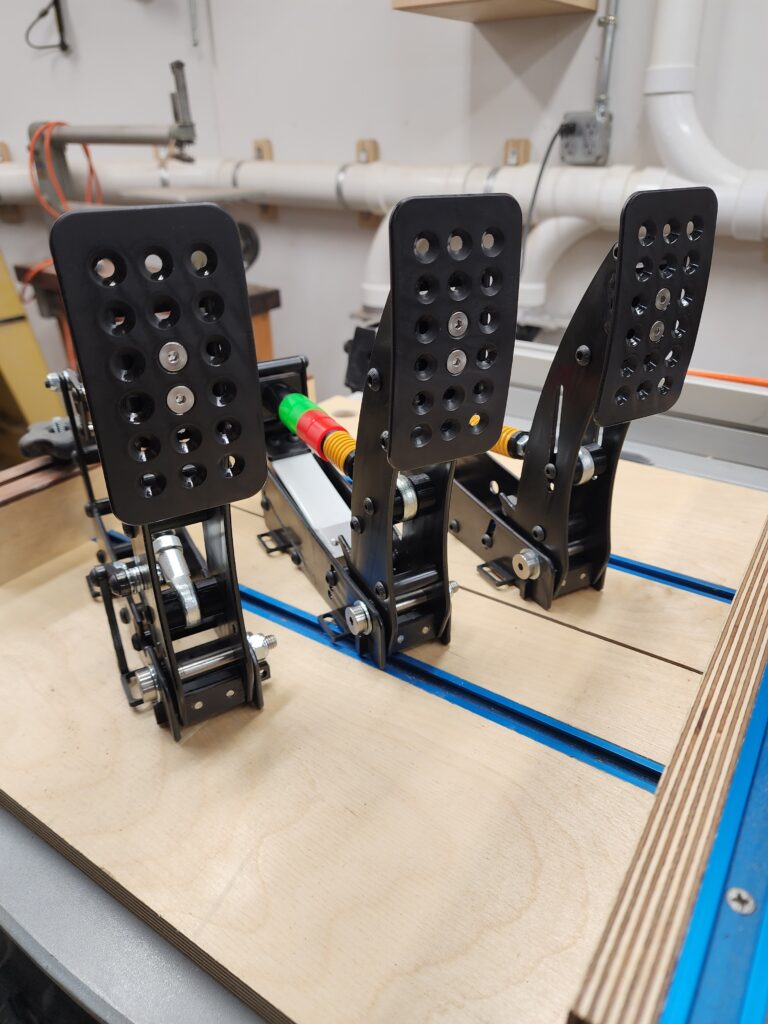
Very impressed with these! Thank you so much for putting together all the documentation and files. I was only able to get 7ga steel here in the states so I adjusted the slots for the difference in size. The pedals went together and installed/calibrated with no problems, after a very speedy response on an issue that ended up being my fault. I used plain carbon steel and then used a black oxide finish with a acrylic finish to protect it. The only thing I "added" or "upgraded" was the spacer for arms that connect the potentiometer, I couldn't get the joints tight enough that they wouldn't have any slop but still move freely without sticking. I ended up getting some small M6 thrust bearings off amazon for a few bucks. Now I can tighten the joints snug, and they still are silky smooth. Also make sure to lube the brake M8 bolt where it goes through the elastomer bushings, this pretty much stopped any squeaking from that, and if the throttle or clutch springs squeak, try rotating them a bit to find where they don't. Worked for me. Again thank you very much, looking forward to building the handbrake!!

(3) (0)
Image #2 from Jeremy Black

Jeremy Black

Very impressed with these! Thank you so much for putting together all the documentation and files. I was only able to get 7ga steel here in the states so I adjusted the slots for the difference in size. The pedals went together and installed/calibrated with no problems, after a very speedy response on an issue that ended up being my fault. I used plain carbon steel and then used a black oxide finish with a acrylic finish to protect it. The only thing I "added" or "upgraded" was the spacer for arms that connect the potentiometer, I couldn't get the joints tight enough that they wouldn't have any slop but still move freely without sticking. I ended up getting some small M6 thrust bearings off amazon for a few bucks. Now I can tighten the joints snug, and they still are silky smooth. Also make sure to lube the brake M8 bolt where it goes through the elastomer bushings, this pretty much stopped any squeaking from that, and if the throttle or clutch springs squeak, try rotating them a bit to find where they don't. Worked for me. Again thank you very much, looking forward to building the handbrake!!

(3) (0)
Image #1 from Steffen Röthling

Steffen Röthling

very nice, happy with the pedals. genius Plans, Thank You for your work!

(2) (0)
Image #1 from Julian Zelaya

Julian Zelaya

The pedals design is amazing, they look great. And they work as they look. Keep up the good work

(2) (0)
Image #2 from Julian Zelaya

Julian Zelaya

The pedals design is amazing, they look great. And they work as they look. Keep up the good work

(2) (0)
Image #3 from Julian Zelaya

Julian Zelaya

The pedals design is amazing, they look great. And they work as they look. Keep up the good work

(2) (0)
Image #1 from Jeremy Black
Image #2 from Jeremy Black
Image #1 from Steffen Röthling
Image #1 from Julian Zelaya
Image #2 from Julian Zelaya
Image #3 from Julian Zelaya
1-8 of 8 reviews
  1. He comprado los planos para fabricar los pedales, y se momentos muy bien. Por ponerles alguna pega ws que la documentación, o más bien su organización sería bastante mejorable

    (0) (0)
  2. Pour l\’instant tout semble parfait, les tutos sont compréhensibles même pour quelqu\’un qui ne parle pas anglais. Le seul bémol est qu\’il faut s\’adapter pour certaines pièces non disponible en France comme les cartes et capteurs de charges et chère à l\’import, heureusement il y a plusieurs entreprises qui en font made in France.
    Je précise néanmoins qui je n’ai pas encore commencé l’assemblage des pièces car je fini un volant avant

    (1) (0)
  3. Great set of pedals for the price, easy to build and set up the electronics. Minimal play in the brake pedal due to manufacturing tolerances.

    (1) (0)
  4. This is excellent pedals, very easy to following steps and complete list of parts needed.

    (1) (0)
  5. Very impressed with these! Thank you so much for putting together all the documentation and files. I was only able to get 7ga steel here in the states so I adjusted the slots for the difference in size. The pedals went together and installed/calibrated with no problems, after a very speedy response on an issue that ended up being my fault. I used plain carbon steel and then used a black oxide finish with a acrylic finish to protect it. The only thing I “added” or “upgraded” was the spacer for arms that connect the potentiometer, I couldn’t get the joints tight enough that they wouldn’t have any slop but still move freely without sticking. I ended up getting some small M6 thrust bearings off amazon for a few bucks. Now I can tighten the joints snug, and they still are silky smooth. Also make sure to lube the brake M8 bolt where it goes through the elastomer bushings, this pretty much stopped any squeaking from that, and if the throttle or clutch springs squeak, try rotating them a bit to find where they don’t. Worked for me.
    Again thank you very much, looking forward to building the handbrake!!

    Image #1 from Jeremy Black
    Image #2 from Jeremy Black
    (3) (0)
  6. very nice, happy with the pedals. genius Plans, Thank You for your work!

    Image #1 from Steffen Röthling
    (2) (0)
  7. The pedals design is amazing, they look great. And they work as they look. Keep up the good work

    Image #1 from Julian Zelaya
    Image #2 from Julian Zelaya
    Image #3 from Julian Zelaya
    (2) (0)
  8. Les plans sont au top, je dirai qu’il manque juste a intégré la liste des matériaux (meme si présente sur le site)

    (3) (0)
Add a review
You must be logged in to post a review Log In

Post here your issues or your questions, I will answer you as soon as possible.


Guest
Rabe
3 years 8 months ago

Bonjour,
J’aurai aimé avoir quelques infos avant d’acheter le fichier. La plus grosse pièce fait combien de cm svp? J’ai une delta avec plateau rond de 26cm,pour savoir si ça tient dessus.
Cordialement

Support
3 years 8 months ago

Bonjour,
La pièce la plus longue fait 22cm, donc aucun soucis avec votre imprimante

Bien cordialement

Guest
Julian Zelaya
2 years 10 months ago

Hello! I am struggling to make the code work. I cheked every wire connection just like the picture, but when i put the code into the pro micro board. Just the potenciometers worked, not the loadcell brake. Best regards

Support
2 years 10 months ago

Hi Julian, I send you a solution in your mail. 😉

Guest
John Jose
2 years 10 months ago

Hi same issue as Julina Zelaya load cell is not detected. I dit try with a basic sketch for load cell and it does detect and return values

Support
2 years 10 months ago

Hi John,

I think the issue is from the arrow direction of the load cell fixation in the pedal.

Have you try to change this line :

Brake = scale.get_units(); // If the Brake pedal value is inverted put a – sign in front like -scale.get

Best regards,
DIY SIM STUDIO

Guest
Alex
2 years 9 months ago

Hi, could you clarify from all the available USB board options what the pros and cons of each of them are?
Thanks

Support
2 years 8 months ago

Hi Alex, sorry for the response delay.
It depend to your budget. The cheapest boards are the Arduino Pro Micro and Leonardo, they provide a good quality and accuracy, but you will do more Soldering. The best cards are the Leobodnar LC-USB 16-bit and BU0836-LC, they are plug & play, need less soldering but they are more expensive.

Guest
Jeremy Black
2 years 7 months ago

Hello,
The pedals went together great, however the load cell only reads from 0% to 6% back to 0 when I push the pedal. I’ve verified the correct direction for the load cell by the arrow and the wiring, any ideas what I could be missing? I’m using the LC-USB-16-bit and the 120kg load cell you have linked.

Support
2 years 7 months ago

Hello Jeremy,
Can you switch the green and white wire that are connected to the Leobodnar board ?

Guest
Jeremy Black
2 years 7 months ago

Ah yes! That did the trick, thanks! Now iRacing has an issue that it says configure controls even after I complete the wizard haha, I think I need to delete my controller config file in the ini. But anyway I appreciate the quick response and awesome product!

Support
2 years 7 months ago

You’re welcome Jeremy ^^
Thanks you, don’t hesitate to write a review of your pedal when it’s finished ;).

Guest
Dario Oppitz
2 years 7 months ago

Hi, I’d like to use the optional brass bushings. In order to do that I wanted to change the axis hole size in the DXF file. However, I noticed If I did so, there wouldn’t be much material left between the hole and the closest outer edge. Could I move the edge out by 1mm or would it interfere with any other parts?

Support
2 years 7 months ago

Hello Dario,
The hole of the axis is 10mm diameter, you can find brass bushing with 10mm external diameter in AliExpress (the link is in the page of the pedal). If you change the axis position and diameter it can interfer with the pedal stop, so I don’t recommend to do that.
Here is the link for the self lubricated brass : https://s.click.aliexpress.com/e/_ArKFSI
You must find the one who has 10mm external diameter.

Guest
Langlois
2 years 5 months ago

Bonjour, j’hesite a acheter les plans pour le realiser en feuille aluminium de 3mm, puis-je m’attendre a une bonne finition avec la decoupe au cutter ? La rigidite sera t elle aussi bonne ?
Cela a t’il deja ete realiser en alu?

Cordialement

Support
2 years 5 months ago

Bonjour,
Pour la rigidité, aucun problème avec l’aluminium.
Pour la découpe, il faudrait une scie sauteuse ou une bonne petite scie manuelle avec une lime. Avec un cutter ce n’est pas la peine ça ne marchera pas, surtout qu’il y aussi des pièces avec 5mm d’épaisseur. Il y a une vidéo sur la page qui montre une façon de découper les plaques en aluminium. Réfléchissez bien avant de partir sur ce projet.

Bien cordialement.

Guest
Andreas
2 years 5 months ago

Hey,
im having issues with jumpy potentiometers when my direct drive wheel is on. i used shielded wires and even grounded the pedals, control box and the servo motor. i soldered the shield to ground on both sides. anything i can do to help with my issue?

Support
2 years 5 months ago

Hi Andreas,

What is the model of the potentiometers and the usb board of the pedal?

Bests regards
DIY SIM STUDIO

Guest
Tyler
2 years 4 months ago

Hello, before I purchase i have a question.
Are the plans different between the ways of making it?
If i go 3d printed with a cheap board will I easily be able to swap to steel and higher end parts later of?
Thank you!

Support
2 years 4 months ago

Hello,
You can use the electronics (board, potentiometers and loadcell) and springs/bushing/rodend of the 3D Printed Pedal in the stainless steel pedal without any problems.

Guest
MIka
2 years 4 months ago

Hello, I was wondering wihich USB BOARD do you recomend to use on this project

Support
2 years 4 months ago

Hello Mlka,
It depend to your budget. The cheapest boards are the Arduino Pro Micro and Leonardo, they provide a good quality and accuracy, but you will do more Soldering. The best cards are the Leobodnar LC-USB 16-bit and BU0836-LC, they are plug & play, need less soldering but they are more expensive.

Guest
Lawrence Zapata
2 years 3 months ago

Is there any way for me to get the step file of the project? I just bought the Pedal Kit and i would like to open the model in Solidworks.

Support
2 years 3 months ago

Hello, the step files are included in the CNC folder. But the assembly is not included.

Best regards.

Guest
Floris
2 years 3 months ago

In the material list there is the section “USB BOARDS (only one of them is mandatory”. does this mean that I only can choose between the first and second leobodnar boards and do i need to buy HX711 loadcell amplifier?

Support
2 years 3 months ago

Hello,
If you buy a Leobodnar board, you don’t need Hx711 amplifier. The amplifier is only for Arduino.

You need only one Leobodnar board, the LC-USB 16-bit or the BU0836-LC, they are plug & play, need less soldering but they are more expensive.

Best regards,
DIY SIM STUDIO

Guest
Floris
2 years 3 months ago

That mean that i also dont need to buy | DiyMore Arduino Leonardo board [Quantity: 1] Note: only with HX711 Loadcell Amplifier | Arduino Pro Micro [Quantity: 1] [Option: Mini USB 3-6V] Note: only withHX711 loadcell Amplifier?

Support
2 years 3 months ago

Yes, if you buy an Leobodnar board you don’t need Arduino or Hx711.

Guest
Floris
2 years 3 months ago

Thank you!

Support
2 years 3 months ago

You’re welcome. 👍

Guest
Floris
2 years 3 months ago

Hello, i got two questions. The first one is i want to make only the throttle and break what do i not need from the “all in one” 3mm and 5mm .dxf and do i need to make treads in the aluminum if i print the “recommanded 3d parts? And “mandatory 3d parts”?

Support
2 years 3 months ago

Hello,
The “all in one” files are only for the 3 pedal, if you need only 2 pedal you can use files in the folders.
Only the mandatory 3D parts must be printed, the recommended aren’t mandatory.

Guest
Floris
2 years 3 months ago

Hello, if i make it from aluminum and print the “recommanded and mandatory 3d parts” do i need to tread the aluminum? And i want to make the throttle and brake what do i not need from the “all-in one” 3mm and 5mm .dxf

Support
2 years 3 months ago

Hello,
You can avoid to thread aluminium with the alternative 3D printed parts.
If you want to make only throttle and brake, you can use files in the folders instead all in one file.

Guest
Floris
2 years 3 months ago

Can i send you a message on instagram? To send some photos

Support
2 years 3 months ago

Yes you can.

Guest
Kediz
2 years 3 months ago

My only question is that is the p260 potentiometer an absolute necessary option

Support
2 years 3 months ago

Hello,

The p260 potentiometer is not necessary, you can use the potentiometer of your choice. You can check the compatibility on this page : PARTS COMPATIBILITY > Potentiometers

Best regards,
DIY SIM STUDIO

Guest
Thomas
2 years 2 months ago

Hi,
I have purchased the plans, and have access to Large CNC router to cut aluminium, Would there be any issue cutting it all in 5mm (other than changing the slots from 3mm to 5mm – as I can adjust the file to suit)? I’m trying to make it stiff and durable – but am unable to use stainless. Many thanks.

Support
2 years 2 months ago

Hello Thomas,

You need to respect the 3mm and 5mm thickness, don’t worry the pedal will be very strong with 3mm aluminium plates.

Best regards,
DIY SIM STUDIO

Guest
Garry
2 years 1 month ago

i watched the video and wondering do i need to use the “Leonardo R3 Plus Development Board Pro” from DIYmore or any other arduino board is fine? because i can’t really get the DIYMore one easily.

Support
2 years 1 month ago

Hi Barry,
The link of the Leonardo board is on the description: https://s.click.aliexpress.com/e/_DDY2r8v

Best regards,
DIY SIM STUDIO

Guest
Endika
2 years 28 days ago

Hello! I am thinking of buying to try and do them. However i have a question, in the brake pedal, why is it 100KG? How many KG does the spring support? How could i make it be heavier, what could i improve?

Support
2 years 26 days ago

Hello Endika,

The pressure of 100 kg is the minimum pressure required, but you can without problem use a 150 kg sensor for example. Don’t worry, the brake pedal is very solid regarding pressure. Of course, your sensor must conform to the dimension (see the documentation on loadcell sensor compatibility).

Best regards,
DIY SIM STUDIO

Guest
Ashley
2 years 2 days ago

Hi can i use a arduino nano instead of a pro micro i purchased the wrong board?

Support
2 years 2 days ago

Hello Ashley,

You can’t use Arduino Nano board because it’s not an atmega32u4 microcontroller.

Best regards,
DIY SIM STUDIO

Guest
Ashley
2 years 2 days ago

Thank you for response

Guest
Robert Wilsdorf
1 year 8 months ago

Hi
I built only the brake and throttle pedals. How do I need to change the Arduino code and wiring to make this work? I tried what I think was the most obvious but it’s not working. I am using a Pro Micro and Hx711. DIView shows Rx = flickering Ry = no reading and Rz working with throttle and seems correct.

Guest
Robert Wilsdorf
1 year 8 months ago

Hi
I managed to get it working. I used wrong pin for Rx and Load Cell needs more volts than E+ supply from Hx711. I used a 200kg load cell because of availability and this specific cell operates between 5V and 12V. HX711 only supplies 4.3V. I ordered a 150kg load cell and should get it later this week.

Support
1 year 8 months ago

Hello Robert,

I’m glad you found the solution to your issue. Do not hesitate to come back to me if you have any problems.

Best regards
DIY SIM STUDIO

Guest
RICARDO DE ALMEIDA
1 year 8 months ago

Hello!
Is there a possibility of replacing the potentiometers with a linear hall effect sensor, like the SS49E?

Support
1 year 8 months ago

Hello Ricardo,

The pedal was designed to be used with a potentiometer, not a linear hall sensor, so I can’t confirm if your hall sensor will work.

Best regards,
DIY SIM STUDIO

Guest
Thomas
1 year 8 months ago

Morning, I have setup all 3 pedals but the load cell is not registering any input using a hx711 and CZL-601 120kg loadcell. Any ideas how to fix?
Thanks

Support
1 year 8 months ago

Hi Thomas,

Did you try to make an inverted pressure?

Best regards,
DIY SIM STUDIO

Guest
Thomas
1 year 8 months ago

I’ve done that, it now works. Many thanks

Support
1 year 8 months ago

You’re welcome.

Best regards,
DIY SIM STUDIO

Guest
Thomas
1 year 8 months ago

Hi, I have been using the pedals but the update rate is slow so is quite laggy, using a pro micro. Do you know if there is a possible fix for this? Thanks

Support
1 year 8 months ago

Hi,
It’s only for the brake or the three pedals?
Do you use the spark fun hx711 amplifier ? If you use the default hx711 amplifier, did you tried this tutorial? https://youtu.be/0cxS-a837bY?si=GrvfQJoqAjtT8k-L
Best regards,
DIY SIM STUDIO

Guest
Farhaan Iqbal
1 year 8 months ago

Hello can i use 4mm plates instead of 3mm thats the easiest to source for me

Support
1 year 8 months ago

Hello Farhaan,

The pedal with 4mm thickness plates instead 5mm can work, but the quality of the pedal will be slightly lower, there will be a little play.

Best regards,
DIY SIM STUDIO

Guest
Ricardo
1 year 8 months ago

Hi! Before I get the plans, I was wondering if Assetto Corsa will have any problems “seeing” the pedals (and the H-shifter, Paddle Shifters). I’m all new to sim racing. so I don’t reall know if the game will just be able to see the pedals and shifters and asign them

Support
1 year 8 months ago

Hello Ricardo,

All my products worked very well on Assetto Corsa and others games. However it will not work on consoles (PS 4-5, Xbox, etc.), it’s PC only.

Best regards,
DIY SIM STUDIO

Guest
Ricardo Ribeiro
1 year 8 months ago

Great! Thank you! I’m currently soucing the materials for the pedals, can you tell me the approximate dimensions of the stainless steel sheets I should buy to have enought to build the pedals? How big should the 3 and 5 mm sheets be?

Support
1 year 8 months ago

You’re welcome.

You can find the required plate sheet for 5mm and 3mm thickness in two pictures.

Best regards,
DIY SIM STUDIO

Guest
Tyler Johnson
1 year 7 months ago

Hello, small question, but what are series-Z washers? Can I use normal washers or can you give a link to them?
Thank you

Support
1 year 7 months ago

Hello Tyler,

It’s a type of thin washers that are more recommended for the brake bushing, but you can use all m8 washers if you want. You can find the Z washers here : https://www.fginox.com/fr/rondelle-plate-etroite-decoupee-z-nfe-25513-z-inox.html

Best regards,
DIY SIM STUDIO

Guest
akyomi
1 year 7 months ago

hello
is it possible to make them with wood?
thanks

Support
1 year 7 months ago

Hello,

Yes you can use a solid wood, you will use the CNC files or the hand cutting files.

Best regards,
DIY SIM STUDIO

Guest
Tyler
1 year 6 months ago

I’m a little confused by the self lubricating baring. Do they go in between the Fixed and moving arm? Why recommend only 3 instead of 6? And the bolt recommend is a M6*80 when it looks like a M8*60 would fit the 3d printed edition, but is also different from the metal version

Support
1 year 6 months ago

Hello Tyler,

Sorry the answer delay, I was in holiday.

The self lubricating bearing must be fixed in the axis of the pedal. You need 2 bearings per pedal. The holes diameter of the pedals axis are 10mm, you need bearings with 10mm external diameter to fit them in the holes. And if the internal diameter of the bearings is 6mm, then you need a M6x60 bolt in the axis.

Best regards,
DIY Sim Studio

Customer
Lionel Fialho
1 year 4 months ago

Bonjour, je vien de aller chercher mais piece coupe em laser ( utiliser all in one ) mais je viens de voir pour faire le montagem qu´il manque des pieces.

Chercher dans le fichier mais je ne trouve pas. Il me manque le fichier de la piece ou serre les pedal et la pieces que du spring support celle que doit passer les vise dedans, est aussi la piece ( en L) qui permet bloquer ( Sur le throttle elle est derrier, et sur le brake est devant )?

Pourrais envoyer cest 3 fichier DXF ou STL pour que je puisse terminer sil vout plait

Support
1 year 4 months ago

Bonjour Lionel,

La pièce demandée est dans le fichier “all in one – 5 mm thickness”.

Il faut faire découper les pièces des deux fichiers dxf All one one 3mm et 5mm.

Cordialement,
DIY SIM STUDIO

Guest
Bryan Corbin
1 year 4 months ago

Hi,
Should all of the parts be printed as they are brought into the slicer or do you have recommendations for part orientation?

Support
1 year 4 months ago

Hello Bryan,

I didn’t have recommendations for the part orientation, you can print them as you wish.

But there are here recommendations for printing 3D solid parts : https://markforged.com/resources/learn/design-for-additive-manufacturing-plastics-composites/understanding-3d-printing-strength/3d-printing-settings-impacting-part-strength?__geom=%E2%9C%AA

Best regards,
DIY Sim Studio

Guest
Bryan Corbin
1 year 3 months ago

Sorry to bother you again but I’m not seeing the Leonardo show up as a game controller, only as a COM Port. How can I troubleshoot?

Support
1 year 3 months ago

Hello Bryan,

Don’t worry, we’ll find a solution.

– Did you install all library ? (Joystick and Hx711)
– Did you apply the Leonardo sketch as I showed it in my video at 29:14 https://www.youtube.com/watch?v=dn25qfL0sVQ ?
– Did you replace the USB cable of your Pedal (which connects the arduino board of the pedals to the computer) ? I ask because sometimes the problem comes from the USB cable, you have to make sure that it is indeed a DATA cable and that it is connected directly to the computer, without an intermediary.

I’m waiting for your response, and I wish you a nice day!

DIY Sim Studio

Guest
Bryan Corbin
1 year 3 months ago

Hello, I’ve gone over the video where you are applying the sketch but I get no output from the serial monitor nor the game controller dialog for the brake pedal. If I make no other changes but to apply a different sketch with load cell/HX711 code, I get readings from the pedal. What could I be doing wrong?

Support
1 year 3 months ago

Hello Bryan,

Did you replace the USB cable of your Pedal (which connects the arduino board of the pedals to the computer) ? I ask because sometimes the problem comes from the USB cable, you have to make sure that it is indeed a DATA cable and that it is connected directly to the computer, without an intermediary.

Best regards,
DIY Sim Studio

Guest
Bryan Corbin
1 year 3 months ago

The cable that I’m using works when I use the other load cell/HX711 code, do I still need to change it?

Support
1 year 3 months ago

If I understand, your Leonardo usb board is not detected on arduino COM Port ?

I admit that I have difficulty understanding your problem.

Best regards,
DIY Sim Studio

Guest
Thierry
1 year 3 months ago

Bonjour ! J’ai du mal à faire fonctionner le code avec le potentiometre et le load cell. J’ai vérifié chaque connexion comme sur la photo, mais quand j’ai mis le code dans la carte micro-pro. Rien ne fonctionne. Merci de me guider ! Bien Cordialement

Support
1 year 3 months ago

Bonjour Thierry,

J’ai besoin de plus d’informations pour connaître l’origine du problème.

Ça doit être soit :
– la soudure
– la compatibilité des potentiomètres
– le flashage Arduino pro micro

Vous pouvez m’envoyer une photo du pédalier et de la soudure à cet adresse : diysimstudio@yahoo.com ?

Cordialement,
DIY SIM STUDIO

Guest
Wolfy
1 year 3 months ago

Hi can I only buy the code ? I’m using arduino micro pro.

Support
1 year 3 months ago

Hello,

I didn’t sell the arduino code, but if you need it, you can buy the DIY 3D printed pedals which is cheaper (14,99€ instead 29,99€) : https://diysimstudio.com/product/diy-sim-racing-pedals/

It contains the same arduino code as the 29,99€ Sim Racing Pedals.

Best regards,
DIY Sim Studio

Guest
Cyd Montelo
1 year 3 months ago

Bonjour,
J’aimerais savoir si il est possible de remplacer le micro Arduino pro par le STM32?

Support
1 year 3 months ago

Bonjour,

Je n’ai pas testé cette solution, je ne peux donc pas vous le confirmer. Le pédalier peut fonctionner avec une Arduino Leonardo ou Pro Micro avec amplificateur Hx711.

Cordialement,
DIY Sim Studio

Customer
Lionel Fialho
1 year 3 months ago

Bonjour je viens juste de tout brancher, mais quand je telecharger le COD pour la arduino Micro mais quand je uplaod ca me donne cette erreur.

Connecting to programmer: .
Found programmer: Id = “CATERIN”; type = S
Software Version = 1.0; No Hardware Version given.
Programmer supports auto addr increment.
Programmer supports buffered memory access with buffersize=128 bytes.

Programmer supports the following devices:
Device code: 0x44

une petite idee sil vou plait merci.

Support
1 year 3 months ago

Bonjour Lionel,

– Avez-vous bien sélectionné votre carte Arduino dans le menu COM Port ?
– Est-ce que votre câble USB est bien un câble DATA ?
– Votre version d’Arduino est à jour ?

Cordialement,
DIY Sim Studio

Guest
Lionel Fialho
1 year 20 days ago

Bonjours.

Donc j´ai tout essayer.

– Achete un cable de data neuf.
– Essayé toute les porte COM de mon PC
– Atualiser la version de Arduine IE
– acheter un nouvelle Arduino pro micro

Et continue avec les meme erreur.

Une autre idee? SVP

Merci

Support
1 year 19 days ago

Bonjour,

Je suis navré que vous n’ayez pas trouvé une solution depuis deux mois et demi.

Il faudrait revoir ma vidéo pour suivre chaque étape une par une : https://www.youtube.com/watch?v=dn25qfL0sVQ

Il faut vérifier que les plugins Joystick et HX711 soient bien installés, et refaire toutes les étapes pour trouver l’origine du problème (si c’est un problème de soudure, ou un problème informatique avec Arduino ou un plugin).
Cordialement,
DIY Sim Studio

Customer
Trevor Lancaster
1 year 2 months ago

Hi,
I have just purchased the plans for the load cell pedals. This may be a silly question, but is there any wiring diagram for using the Leo Bodnar boards?
Thanks.

Support
1 year 2 months ago

Hello Trevor,

Thanks for your purchase.

There isn’t wiring diagram for Leo Bodnar boards, but the wiring is very simple and easy, don’t worry. You can see it here at 8 minutes : https://www.youtube.com/watch?v=dn25qfL0sVQ

Best regards,
DIY Sim Studio

Customer
Trevor Lancaster
1 year 2 months ago

Perfect!! Thanks for your reply.
One further question , If I was to use the Leo Bodnar BUO836-LC, could I connect the sequential shifter to it as well as the pedals?

Thanks
Trevor

Support
1 year 2 months ago

You’re welcome.

Absolutely, you can connect sequential shifter, h shifter and pedals with only one Leo Bodnar BUO836-LC board.

Best regards,
DIY Sim Studio

Guest
Dmitri Kossatsov
1 year 2 months ago

Hello. I am slightly confused, The mobile brake part as well as the throttle have a 3.20X10.20cm cut out for B Pedal stop. however fixed part has 5.20X10.20cm cut out as well as B pedal stop. I don’t think those will fit one into another (this is in Handcutting (A4 Sheets of papers) folder)

Support
1 year 2 months ago

Hello Dmitri,

Th B pedal stop parts with 5 mm thickness must be fitted in the fixed part at the front bottom.

The parts that must be fixed in the mobile part are in the “Random part 01.pdf” file, and the thickness is 3mm.

Please check my building video here : https://youtu.be/8yjT4254DIA?si=CsSObGMX6BLlGN78

Best regards,
DIY Sim Studio

Guest
Dmitri Kossatsov
1 year 2 months ago

I actually realised my mistake of reading schematics after I posted the question. All good. Thank you 😀

Customer
Udro Ebster Correa Junior
1 year 2 months ago

Olá, estou sentindo falta de um video montando os pedais, mas enfim, Moro no Brasil e tem sido muito dificil encontrar os parafusos, principalmente o D10/M8x50 e o M8x170, até encontrei, mas são muito caros, a respeiro do D10/m8x50 eu pensei em usar um espaçador no lugar e colocar parafuso de cada lado, funcionaria? Sobre o de 170mm ainda não encontrei uma alternativa.

Support
1 year 2 months ago

Hello Udro,

Did you try to buy these parts on AliExpress?

Here are the links :

Pandametal Screws Store: https://fr.aliexpress.com/store/all-wholesale-products/5151020.html?spm=a2g0o.detail.1000061.2.73ac668653jmOC

Axis Shoulder Bolt [Quantity: 3] [Option: D10x8, 50mm] : https://s.click.aliexpress.com/e/_AXPJM4

M8x150 and M8x170 Semi-threated screws :

https://s.click.aliexpress.com/e/_DeD9n7f

https://s.click.aliexpress.com/e/_DC3hguH (Alternative link)

Best regards,
DIY Sim Studio

Customer
Mateusz Markowski
1 year 1 month ago

Hi, can I use a load cell with a weight lower than 100 kg for a metal project? I think 60 kg would be enough for me. Alternatively, is it possible to programmatically set the 100kg load cell to 60% so that the game reads it as fully pressed?

Support
1 year 1 month ago

Hello Mateusz,

I recommend you to use a 100kg load cell and after you will be able to set the pressure in your game or in the joystick controller/diview, you can also set the hardness and stop of the brake.

I never use a 60kg load cell for the brake, I can’t guarantee that this load cell will work.

My advice: buy a 100kg load cell and adjust it as you want.

Best regards,
DIY Sim Studio

Customer
Joshua Coldewe
1 year 10 days ago

Hello, I’m using the pro micro and I’m having a couple issues. I’m making 2 pedals (throttle and brake) and the potentiometer signal jumps around when I view it in the game controllers properties and the load cell doesn’t show up. I double checked my soldering. Any advice would be appreciated!

Support
1 year 7 days ago

Hello Joshua,

The issue is from potentiometer or soldering.

– What is your potentiometer model ? Did you try to replace it with another ?
– Did you use a good DATA wire ? Did you connect the wire directly to the computer ?
– Did you use wire with good aluminium isolation for the soldering ?

I wait your answer, and wish you a nice day! 💪

Best regards,
DIY Sim Studio

Customer
rodrigo fabiano rodrigues
11 months 24 days ago

hello everything is fine. I’m from Brazil, I really liked your video of the pedals. I have a question, can I share the laser cutting files, DXF with an industry close to home?

Support
11 months 22 days ago

Hello Rodrigo,

Thanks for your purchase.

You can’t share the files, only for your own use. For example, you can give them the .DXF files for cutting your own Sim Racing Pedals.

Best regards,
DIY Sim Studio

Customer
Kieran Smith
11 months 7 days ago

Hi, I’m confused as to why there is no gasket needed at one end of the load cell to allow it to flex? Surely mounting it to a flat plate would not allow sufficient bending?

Support
11 months 2 days ago

Hi,
Can you give more details, I didn’t understand your confusion.

Best regards,
DIY Sim Studio

Customer
Kieran Smith
11 months 1 day ago

Typically for a load cell to measure force correctly, one end must be fixed and the other free to allow the load cell to bend. Similar load cell brake pedal designs (heusinkveld ultimate+ and simjack for example) have a floating end for the loadcell where the spring and elastometers on the “mobile” part mount to the “fixed” part. However, in your design, both ends of the loadcell would be deemed to be fixed as they are both bolted to a flat plate. This seems like a design mistake and will lead to inconsistencies in the loadcell force measurement.

Customer
WINYCIUS JOSE DE SOUZA GARCIA
9 months 25 days ago

Could you tell me what size 3mm and 5mm aluminum plate I would need for all the cutouts of the pieces? I will buy the sheets and cut them manually.

Support
9 months 25 days ago

Hello Jose,

Here are the dimensions of the plates required for hand cutting:

3mm Thickness : 500mm x 550mm
5mm : 200mm x 200mm

A recommended cutting plan is provided to help you.

Best regards,
DIY Sim Studio

Customer
WINYCIUS JOSE DE SOUZA GARCIA
6 months 28 days ago

Which aluminum is recommended to use?

Customer
WINYCIUS JOSE DE SOUZA GARCIA
6 months 28 days ago

1060/1100/5754…

Support
6 months 27 days ago

7075 is good, but you can use also 5052.

The important, is to use an aluminium that is easy to cut and solid.

Customer
HARSHA J
7 months 6 days ago

Can u help me install hall sensor in the pedal?any rotational like as5600 or mt6701 in the place of potentiometer for access and clutch

Support
7 months 6 days ago

Hello Harsha,

We’re sorry, but the plans weren’t designed to be used with a hall effect sensor, but only a potentiometer. This doesn’t mean you can’t mount a hall sensor on it, but we can’t provide a solution for a hall sensor because we haven’t tested this technology.

Best regards,
DIY Sim Studio

Customer
Udro Ebster Correa Junior
6 months 26 days ago

Hello everything is fine? I have some doubts about the pedals and the interaction with Arduino, firstly I mounted the pedals in steel not in aluminum, I am using a b10k potentiometer, I noticed that the accelerator pedal does not move the potentiometer much, when I do the test it only gives a difference of 20 degrees, it physically moves less than 10mm, is this on purpose? Anyway, I calibrated it and it is recognizing the acceleration but in a rougher way, but recently I had problems with the brake oscillating, when I keep my foot at 60% it drops to 10 and returns to 60, sometimes it also doesn’t recognize me stepping, and that’s worrying me, could you help me with these things? I don’t know what else to try.

Support
6 months 25 days ago

Hello Udro,

Yes I’m fine thanks you. I have lots of questions to tell you.

– Did you fix correctly the potentiometer to the lever with the M3 bolt ?

– Did you followed my Calibration video available in the YouTube channel? You need to follow all steps. I recommend the Windows joystick for the calibration.

– Can you try to plug the usb wire of the Arduino board directly to your computer?

– Can you try tu put your Arduino board in aluminium case to avoid interference? You also need a grained wire with aluminium protector (you can find this wire here in the “DIY Tools” section)

Best regards,
DIY Sim Studio

Guest
santiago isernio
5 months 25 days ago

hola como va yo adquirí los planos quería saber donde encuentro la lista de los materiales , lo que es resortes espaciadores gomas etc desde ya gracias

Support
5 months 24 days ago

Hello Santiago,

The parts list is in the same page at the “Parts buying guide: Springs and Elastomers” section.

Best regards,
DIY Sim Studio

Guest
Nicola
4 months 27 days ago

Buongiorno, conoscete qualche ditta o sito che mi permette di far realizzare i componenti?Ovviamente cerco il più possibile di risparmiare…grazie mille!

Support
4 months 6 days ago

Hello Nicola,

I recommend you ALPM for Europe, and https://www.chinalasercuttingservice.com/

For 3D printing, you can buy a 3d printer or use treatstock.

The list of all parts is available on this page, in the PART BUYING GUIDE.

Best regards,
DIY Sim Studio

Guest
louis
4 months 2 days ago

Bonjour,
Tout est encore d’actualité ? disponibilité des services, pièces etc… ?
Cordialement,
Louis

Support
4 months 2 days ago

Bonjour,
Oui tout est d’actualité, aide, service et disponibilité des pièces.

Cordialement

Guest
Winycius Garcia
1 month 15 days ago

I’m having trouble with the assembly. I’m using an Arduino Pro Micro, linear potentiometers, and an HX711 for the brake. I followed all the soldering steps correctly, but it’s not giving any readings.

And another thing, would DIView be the only program to calibrate the pedals?

Support
1 month 14 days ago

Hello,

Can you check that the usb wire is a DATA wire ?

You can use the Windows Joystick to calibrate the pedals, it’s explained in the soldering video (check the building guide tab).

Best regards,
DIY Sim Studio

Customer
Manuel Peiro Frias
1 month 6 days ago

Can I use a standard Arduino Leonardo as the board, but not the Arduino Leonardo R3?

Support
1 month 6 days ago

Hello,
Only Leonardo or Pro Micro with ATmega32U4.

Best regards.

Customer
Manuel Peiro Frias
1 month 5 days ago

Hi,
Using Gemini’s help with the Arduino code and brake pedal testing, I mentioned that I noticed a slightly slow response when pressing the brake pedal. They offered two solutions:
A- Try modifying the HX711 to increase the sampling rate, or
B- Use an ADS1115 board, which has 10 times the resolution and is used in professional pedals.

I’m going to try the ADS1115 option. Has anyone used it? Or can you give me reasons for or against trying it?

Support
1 month 5 days ago

Hello Manuel,

You can easily modify the hx711 to increase the response delay.

Can you read the tutorial here : https://diysimstudio.com/2024/07/18/diy-load-cell-pedals/#ssue_There_is_a_lack_of_responsiveness_on_my_load_cell_a_slight_delay

Best regards,
DIY Sim Studio


People Also Bought